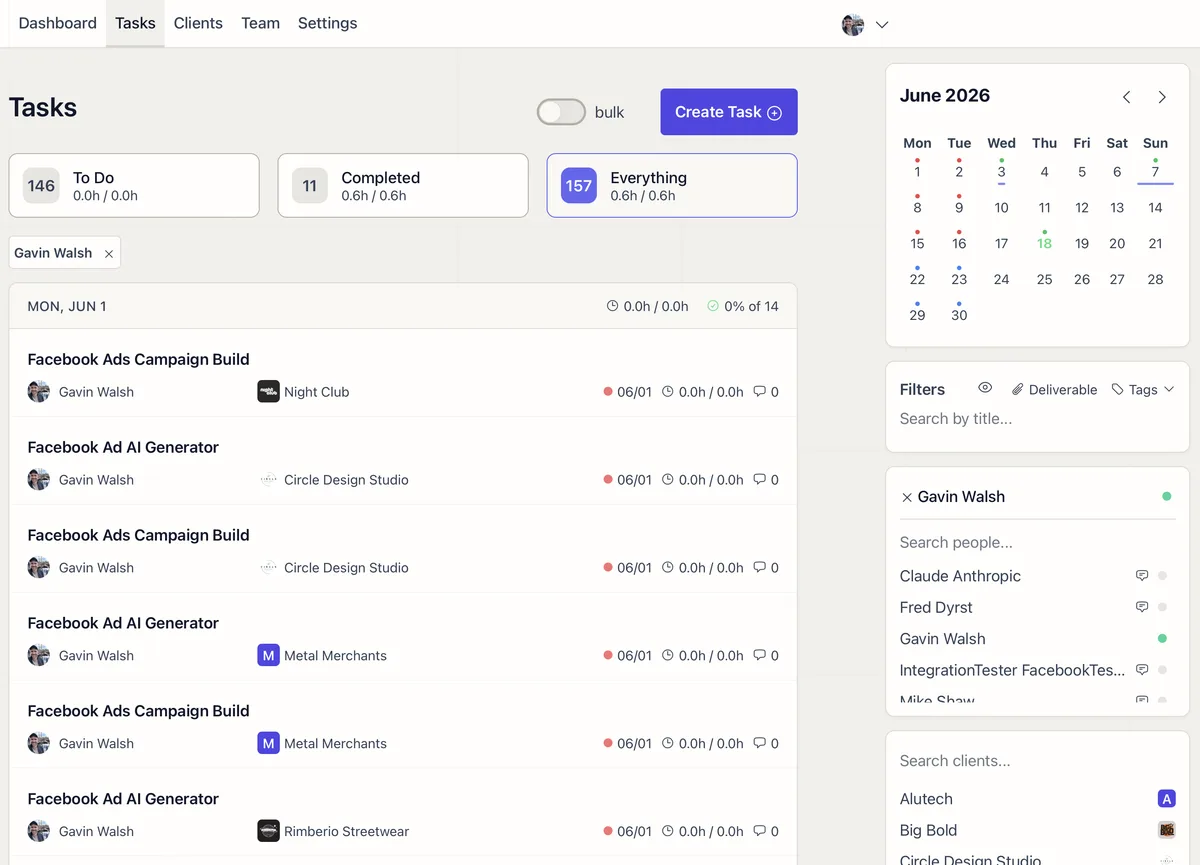
One Screen, Every Task
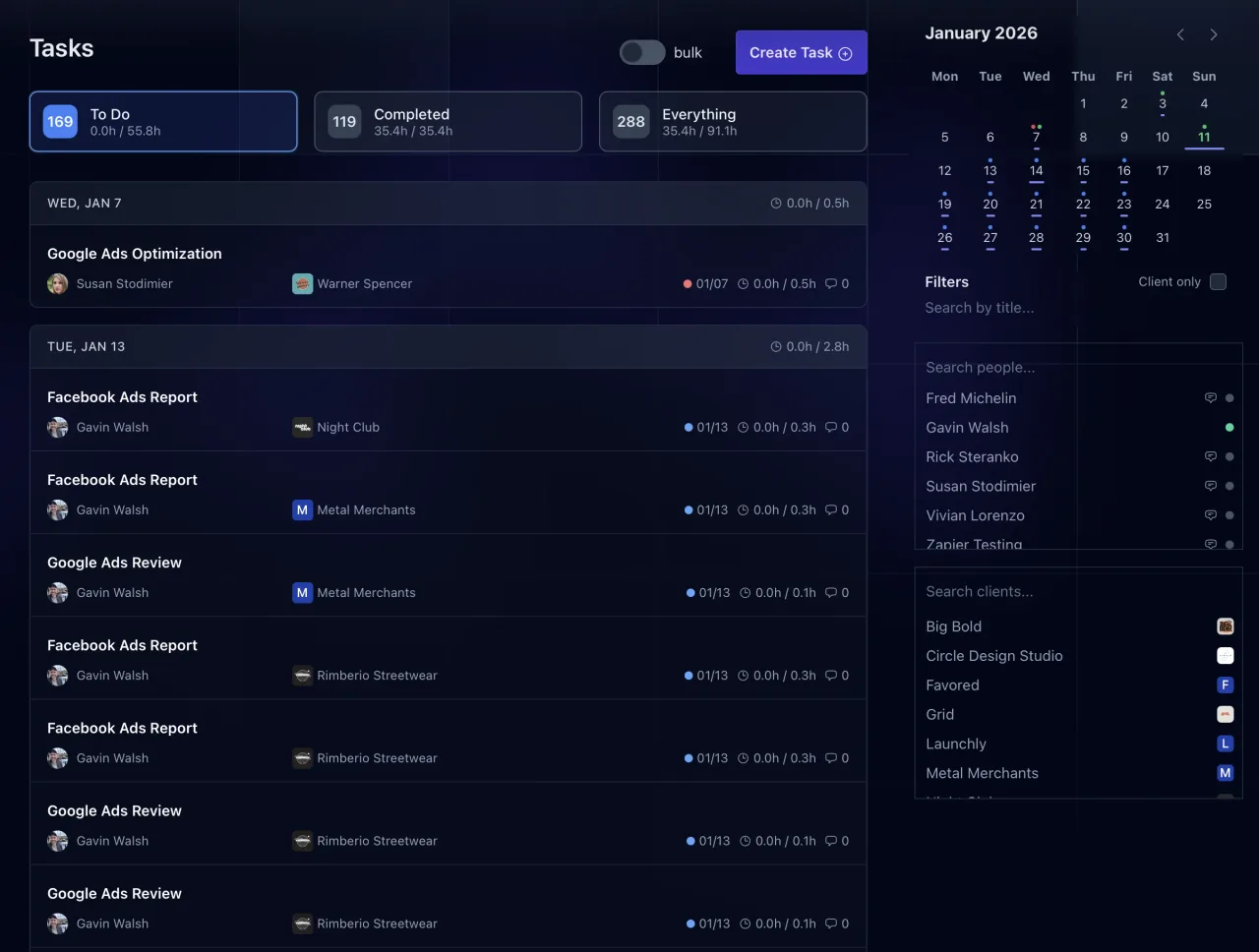
The Task Management screen shows all tasks across clients with filters for status (To Do, Completed), client, team member, and tags. Tasks are grouped by day, showing the task title, client, assigned person, due date, and time tracking. Navigate forward and back by month to see upcoming and past work.
Bulk Updates and Reassignment
Select multiple tasks and reassign them between team members in one action. Useful for covering vacations, rebalancing workloads, or onboarding new hires.
Task Creation From Templates
Create tasks from saved templates. The task prefills with instructions, time estimates, tags, and visibility settings. Adjust per client as needed.
AI-Written Tasks
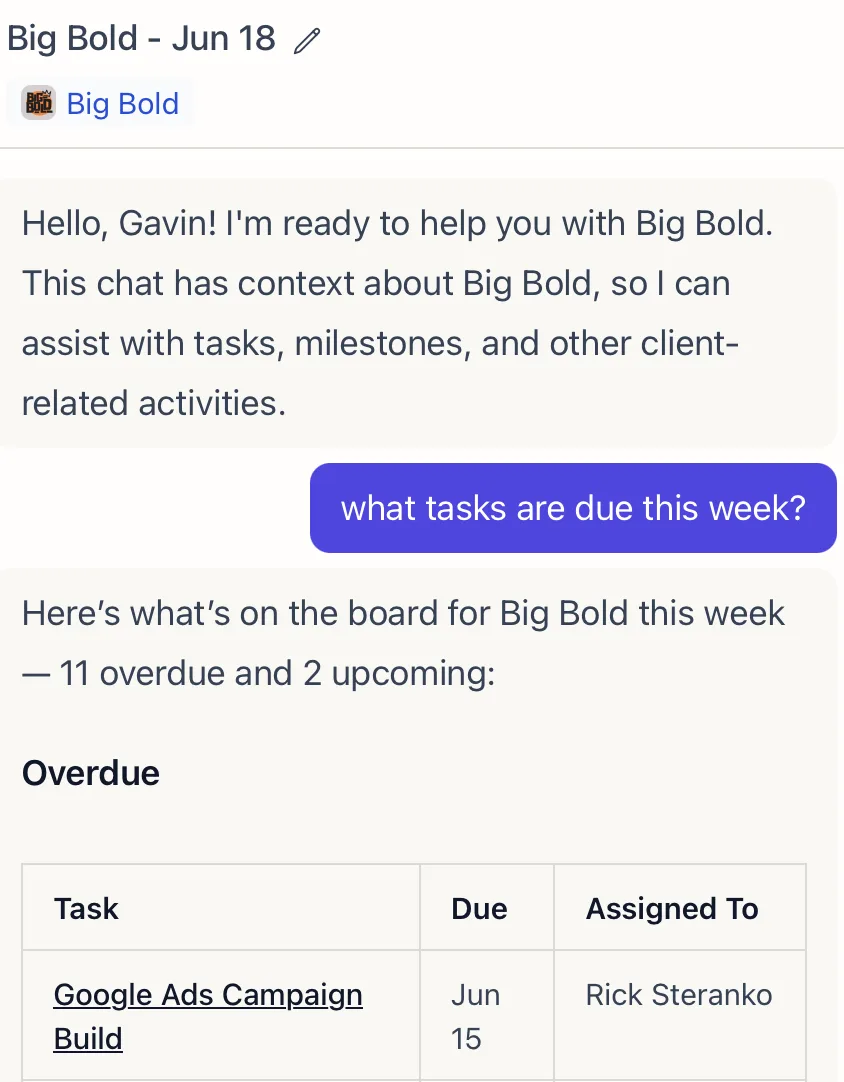
Ask the AI to build the work and it writes the entire task for you: a clear title, step-by-step instructions, the right tags, and a realistic time estimate. It pulls from your templates and the client’s context, so the task lands scoped and ready to assign instead of as a one-line reminder. Tweak anything before it goes out, or let it stand as written.
AI-Assigned Work, On a Schedule or From a Report
Schedule recurring work once and stop rebuilding it. The AI can create and assign tasks on a schedule, so monthly reporting, onboarding steps, and weekly check-ins show up on the right person’s plate without anyone setting a reminder. It can also react to data: point it at a report and it reads the numbers, then creates your team’s top-priority tasks (for example, the three SEO actions that come out of a Search Console report). See the AI Task Scheduling guide for the patterns.
AI Autocomplete
Toggle AI Autocomplete on a task to let the AI process it automatically at the due date. The AI uses the task instructions plus the client’s context to produce the deliverable on the due date. The AI Task Scheduling guide covers patterns for automating recurring and onboarding work.
After-Completion Chaining
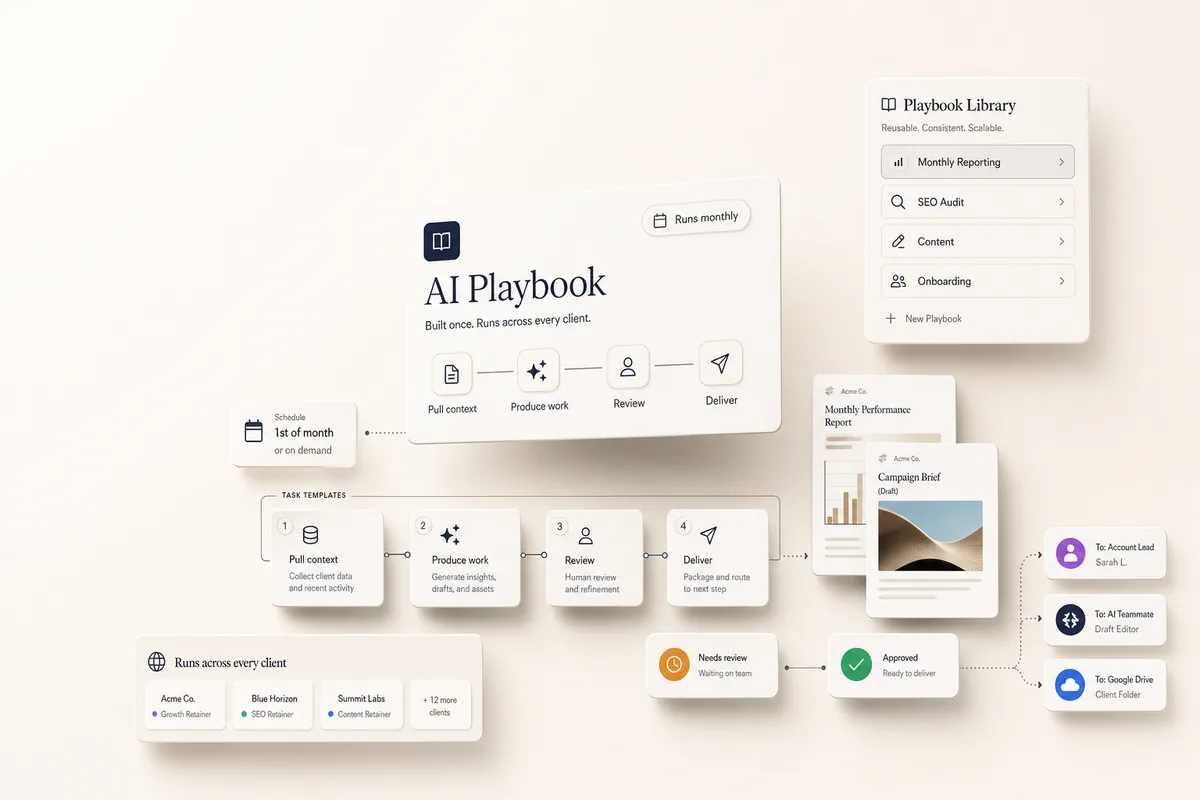
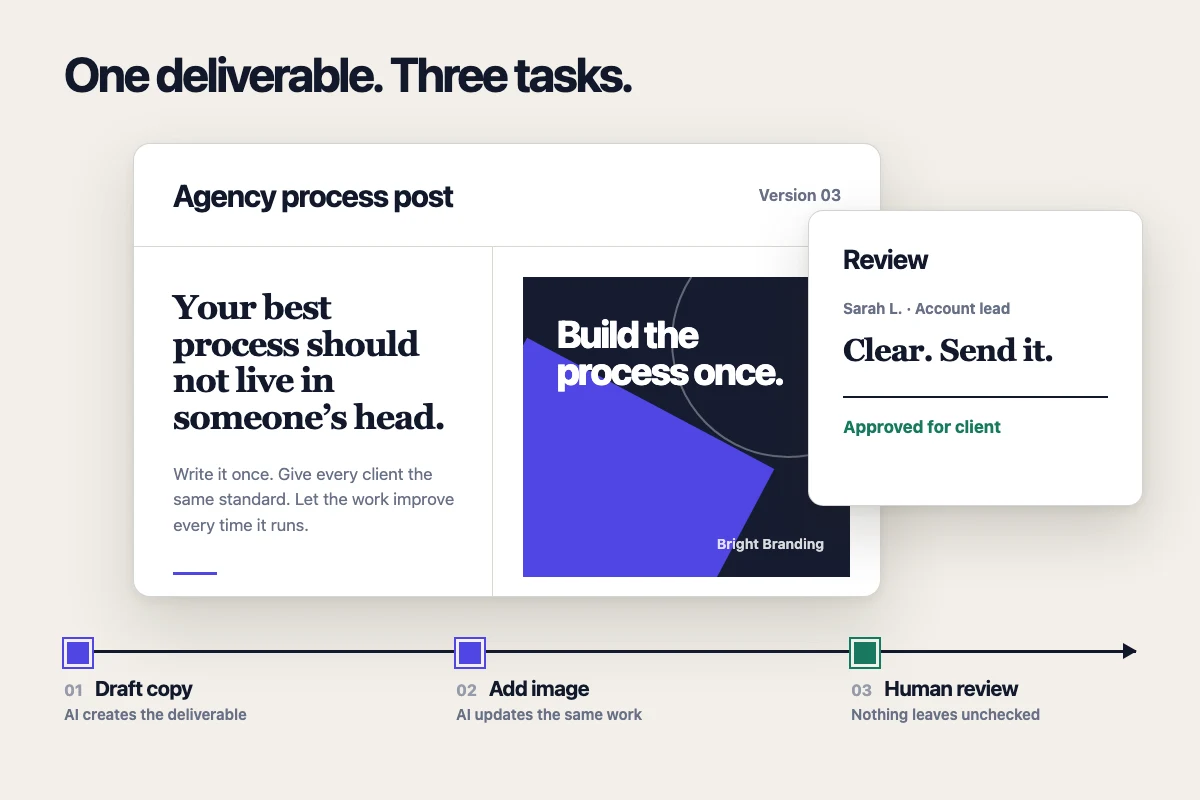
Add a Lifty Prompt with Run on complete to chain tasks together. Completing one task triggers creation of the next. Use @mentions in prompts to reference templates and teammates. The AI Playbooks are built entirely on this chaining pattern.
Time Tracking
Each task tracks budgeted minutes against actual time spent, with variance calculations. See where time is going across clients and spot overruns early.
Visibility and Tags
Control who sees each task: Standard (client sees it), Client Only, or Agency Only. Tags keep tasks organized and filterable across your entire client roster.