SEO Audits That Create the Fix List
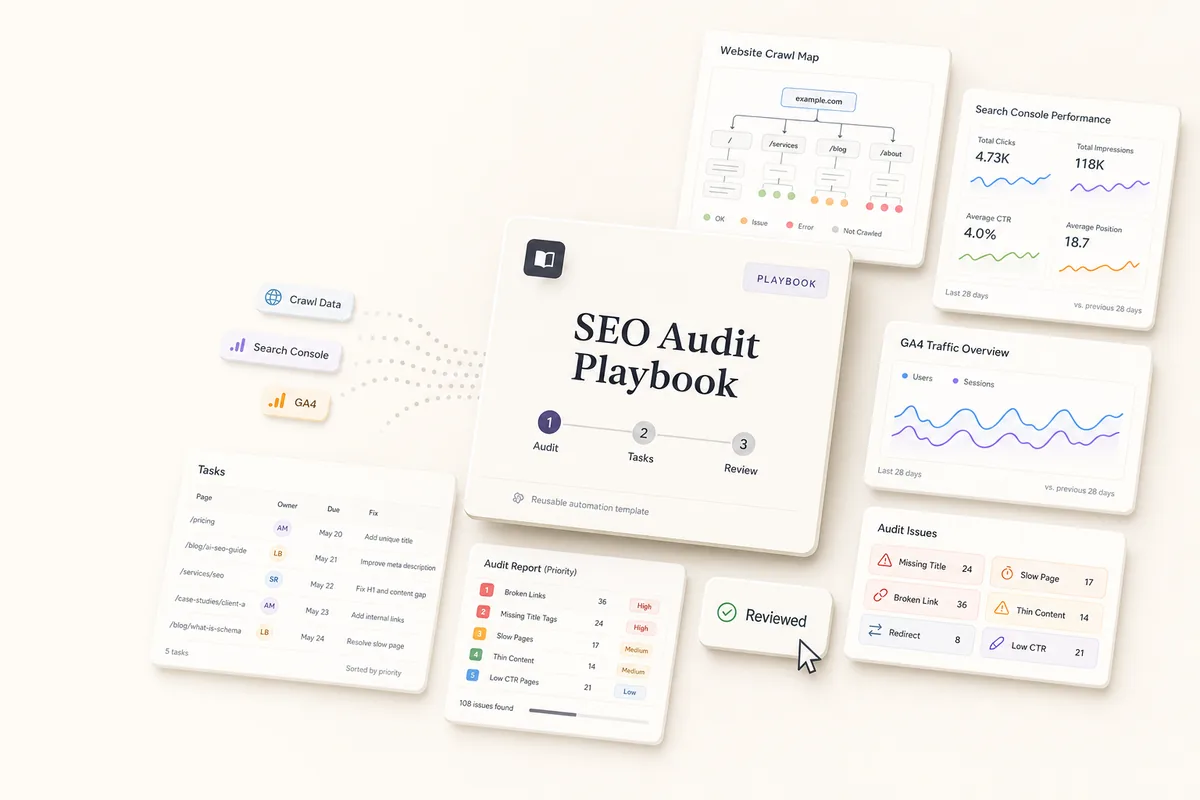
A 3-step chain crawls the site for technical issues, pulls Search Console and GA4 data, creates a priority-ranked audit deliverable, and generates fix tasks with specific pages and instructions. A review task lands on your desk.
What this does
This playbook audits a client’s site from three angles: a technical crawl for broken links, missing alt text, and on-page issues; Search Console data for ranking drops and content gaps; and GA4 data for traffic trends and high-bounce pages. It saves a full audit deliverable, then creates a batch of tasks from the top findings. Each task names the specific page, the issue, and what the fix looks like. A review task lands on your desk so you can check priorities before the team starts.
Best for
Agencies running SEO for clients who need regular audits that lead to actual work getting done. Works as a monthly or quarterly check-in, or as the first audit when onboarding a new SEO client.
How the chain works
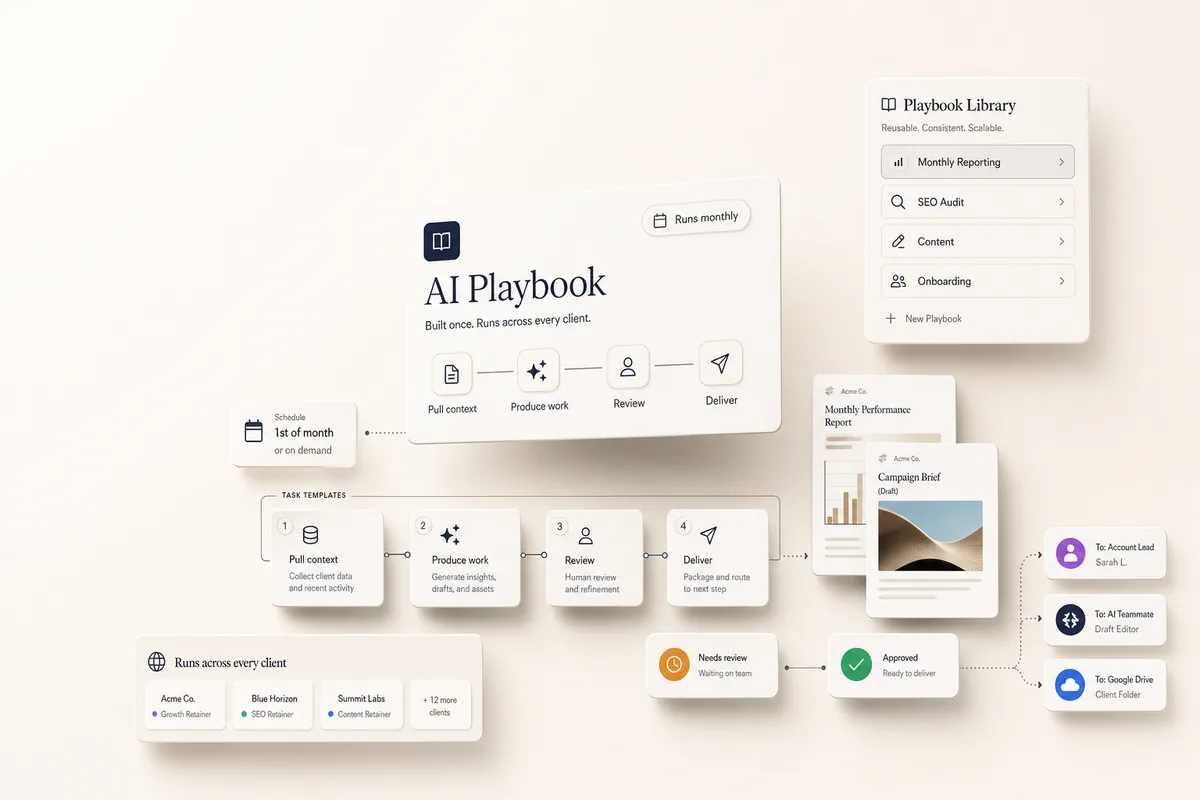
Template 1: SEO Audit. Crawls the client’s site for technical issues (broken links, missing alt text, heading problems, thin content, meta tags). Pulls Search Console data for ranking drops, low-CTR pages, and content gaps. Pulls GA4 data for traffic trends and high-bounce pages. Saves everything in one “SEO Audit Findings” deliverable ranked by priority. When done, books Template 2.
Template 2: Create Tasks from Audit. Reads the audit deliverable and creates tasks from the top findings. Each task is scoped to one specific issue: a page that needs a meta description, images missing alt text, a broken link to fix, a thin page to expand. The prompt limits the batch to the top 5-8 findings so the team isn’t overwhelmed. Remaining findings stay in the audit deliverable for next month. When done, books Template 3.
Template 3: Review Audit & Tasks. Review the audit deliverable for the full picture, check that the generated tasks are scoped correctly, adjust priorities or due dates, and assign to team members.
Requirements
- Connect GSC first. The client’s Search Console must be linked in Settings > Integrations.
- Connect GA4. Link the client’s Google Analytics property in integrations for traffic data.
- The client profile should have their website URL set so the AI can crawl it.
How to use it
- Create a task from “SEO Audit” for your client, due on the first business day of the month (or whenever you want the audit to run).
- On its due date, it autocompletes: crawls the site, pulls GSC and GA4 data, creates the audit deliverable, then creates a batch of tasks from the top findings. To run it earlier, mark it complete yourself or click Run Prompt.
- The review task lands in your queue. Read the full audit deliverable, check the generated tasks, adjust priorities, and assign to your team.
Make it recurring
Add a line to Template 1’s prompt: “Also duplicate this task for the first business day of next month.” Each month you get a fresh audit that catches new issues and tracks whether old ones were fixed.
Customize the focus
- New SEO clients. Run it during onboarding to get a baseline and create the first round of work. Pair with the keyword strategy playbook to turn content gaps into a prioritized keyword plan.
- Content-focused audits. Add to the prompt: “Scope the site crawl to /blog only.”
-
Local SEO clients. Add
gbp_reportto the tools and a line: “Also pull Google Business Profile data and check for NAP consistency issues.” - E-commerce. Add: “Pay special attention to product and category pages. Look for thin product descriptions and missing structured data. Use the ecom kpi profile for GA4.”
Tips
- Review the full audit, not just the tasks. The tasks are the top picks, but the deliverable has everything. Scan it for anything you’d prioritize differently.
- Tag consistency. Each generated task gets tagged “seo-audit” so you can filter and track audit work across clients.
- Content gaps are usually the highest ROI. Queries with impressions but no dedicated page mean people are searching and you’re not showing up. The keyword strategy playbook turns these into a content plan.
The templates
Paste these into Settings → Task Templates in your Lifted Work account. Create a template group, add each template in order. When you create tasks from these templates, the AI picks up client context automatically.
[1/3] SEO Audit
Read the client profile for the website URL.
Technical site crawl
Browse the homepage, main navigation pages, and 10-15 interior pages. Check for:
- Broken links (internal and external)
- Missing or empty image alt text
- Missing or duplicate title tags and meta descriptions
- H1 issues (missing, duplicate, or multiple per page)
- Broken heading hierarchy (H3 before H2, skipped levels)
- Thin content pages (under 300 words)
- Pages with no internal links pointing to them
Search Console analysis
Pull Search Console data for the past month vs previous month:
- Summary (clicks, impressions, CTR, position trends)
- Top queries: drops in clicks, impressions, or position
- Top pages: pages losing traffic or with high impressions but low CTR
- Content gaps: queries with impressions but no dedicated landing page
GA4 traffic analysis
Pull GA4 data for the past month vs previous month:
- Summary (sessions, users, bounce rate, avg session duration)
- Landing pages with high bounce rates or losing sessions
- Organic traffic trends
Write findings
Create one deliverable titled “SEO Audit Findings” containing:
- Performance overview in 2-3 sentences.
- All findings by category (technical, content gaps, ranking drops, traffic).
- Each finding: the issue, affected URLs, current numbers, estimated impact (high/medium/low).
- Ranked by impact: content gaps first, then ranking/traffic drops, then technical issues, then on-page fixes.
Create a task from the “[2/3] Create Tasks from Audit” template, due 5 minutes from now.
[2/3] Create Tasks from Audit
Look up the “SEO Audit Findings” deliverable and read the full audit.
Aim for 2-3 hours of total estimated work across all tasks. Stop when the batch is full, even if findings remain.
Time benchmarks:
- New landing page: 1-2 hours
- Meta descriptions: ~2 min per page
- Broken links: ~5 min per link
- Image alt text: ~1 min per image
- Thin content rewrite: 30-60 min per page
- Heading hierarchy: ~5 min per page
If a finding affects many pages, break into chunks (e.g., top 10 pages by traffic, not all 40).
Before creating tasks from scratch, list our task templates and try to find and use appropriate templates. If you can’t find an appropriate one, then you can create the tasks from scratch.
Create tasks working down the ranked findings. For each:
- Clear title with scope (e.g., “Add meta descriptions to top 10 blog posts by traffic”)
- Due dates spread across the next 2 weeks
- Instructions with affected URLs, current numbers, what “fixed” looks like, and time estimate
- Tag: “seo-audit”
When done, create a task from the “[3/3] Review Audit & Tasks” template, due tomorrow.

[3/3] Review Audit & Tasks
AI has run a full SEO audit and created tasks from the top findings (~2-3 hours of work). Review before your team starts:
- Read the audit. Open “SEO Audit Findings” on the first task. Every finding is ranked by impact, not just the ones that became tasks.
- Check the tasks. Look for tasks tagged “seo-audit.” Each has a time estimate. Make sure these are the right priorities for this client right now.
- Check scope. Large issues were broken into chunks. Adjust if too big or too small.
- Assign and schedule. Tasks default to the next 2 weeks. Adjust based on team capacity.
- Quick wins. Some fixes (alt text, broken links) take 5 minutes. Knock those out now.
- Remaining findings get picked up next month. If something can’t wait, create a task manually.
- Mark this task complete.
More workflows
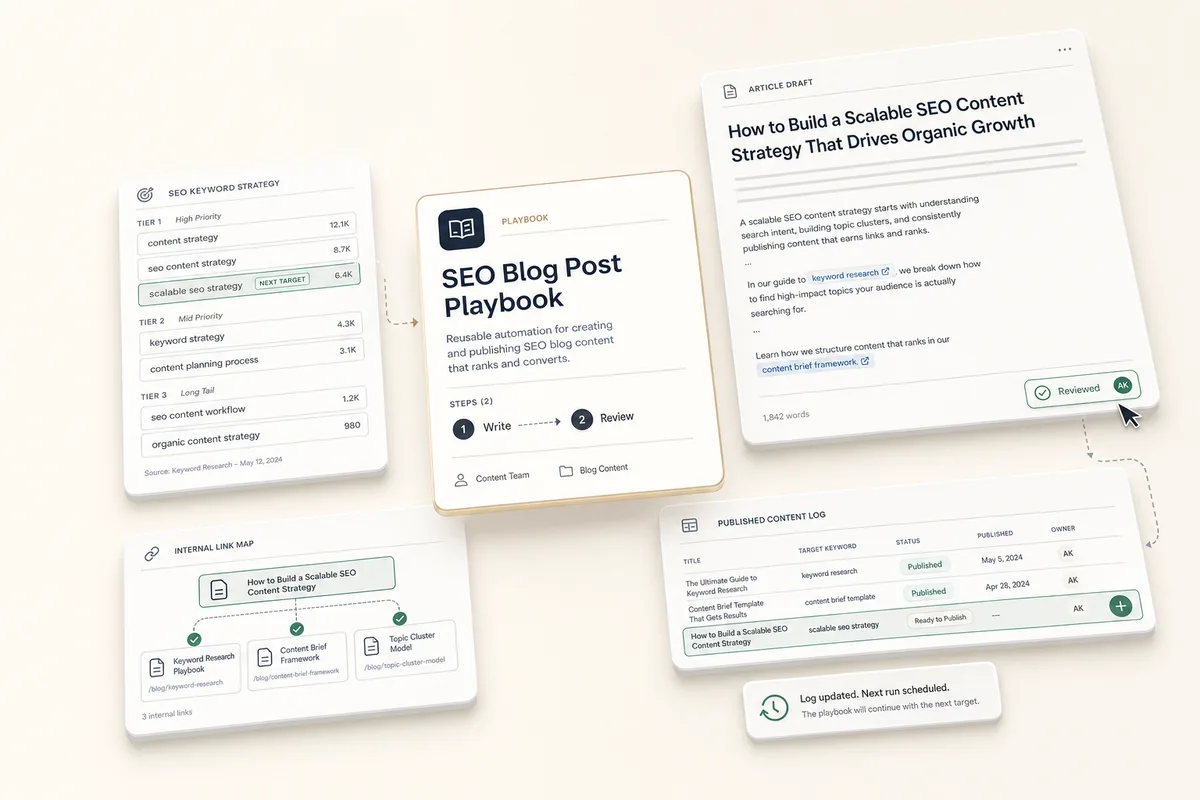
Automate SEO Blog Posts From Your Keyword Strategy
The AI reads the client's keyword strategy note, picks the next keyword to target, checks existing content for cross-links, writes the full article, and updates the strategy so the next post picks up where this one left off.
Build a Brand Guide So Every AI Output Stays On-Brand
One setup per client keeps every content run on brand. A 3-step chain reverse-engineers the brand into a single note that every downstream content playbook (ads, social, blog, email) reads automatically. The offering section adapts to whatever the client sells, so it fits products, services, software, or storefronts.
Automate Monthly Account Reviews
Three chained tasks pull account activity for the month, create an internal health snapshot, and draft a recap email to the client with report links.
Build an SEO Keyword Strategy That Feeds Your Content Pipeline
Analyzes the client's website plus Search Console and GA4 data, then saves a prioritized keyword strategy as a client note the AI references every time it writes content.