AI Playbooks Features Guides Help Pricing

AI Playbooks for Your Agency

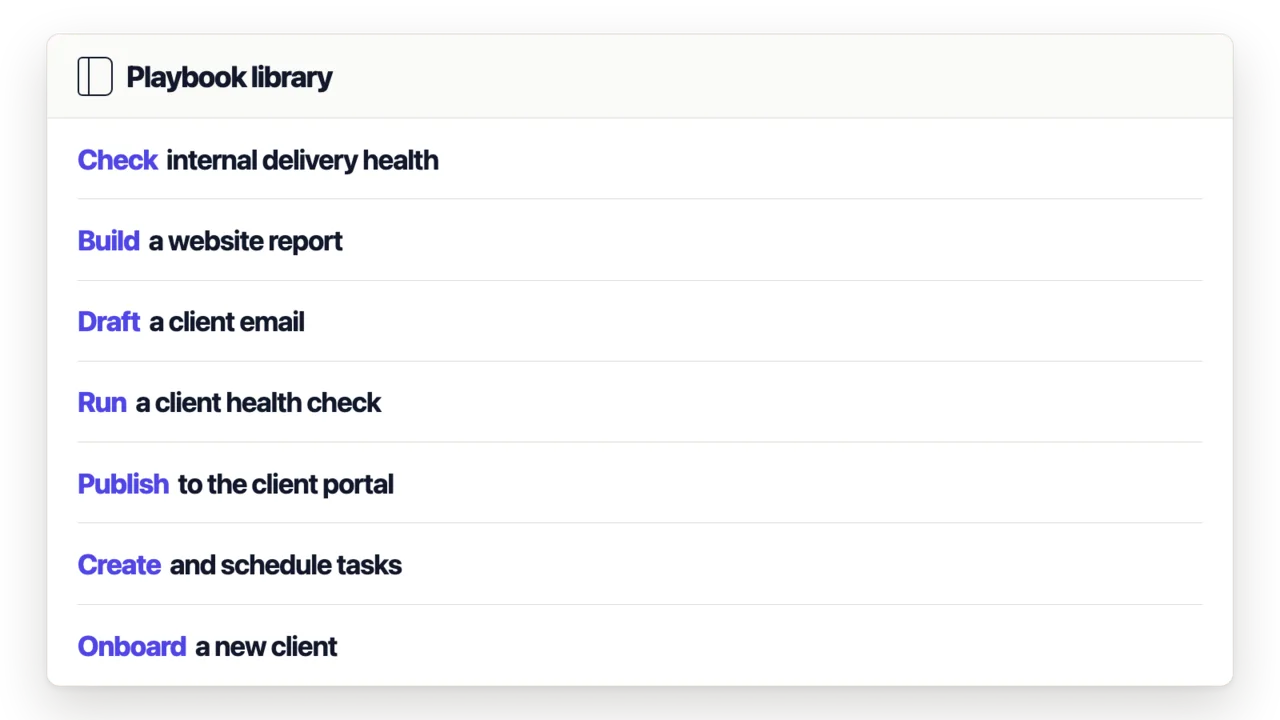
Each playbook is a set of task templates you drop into your account. Playbooks, data and context are completely customizable.

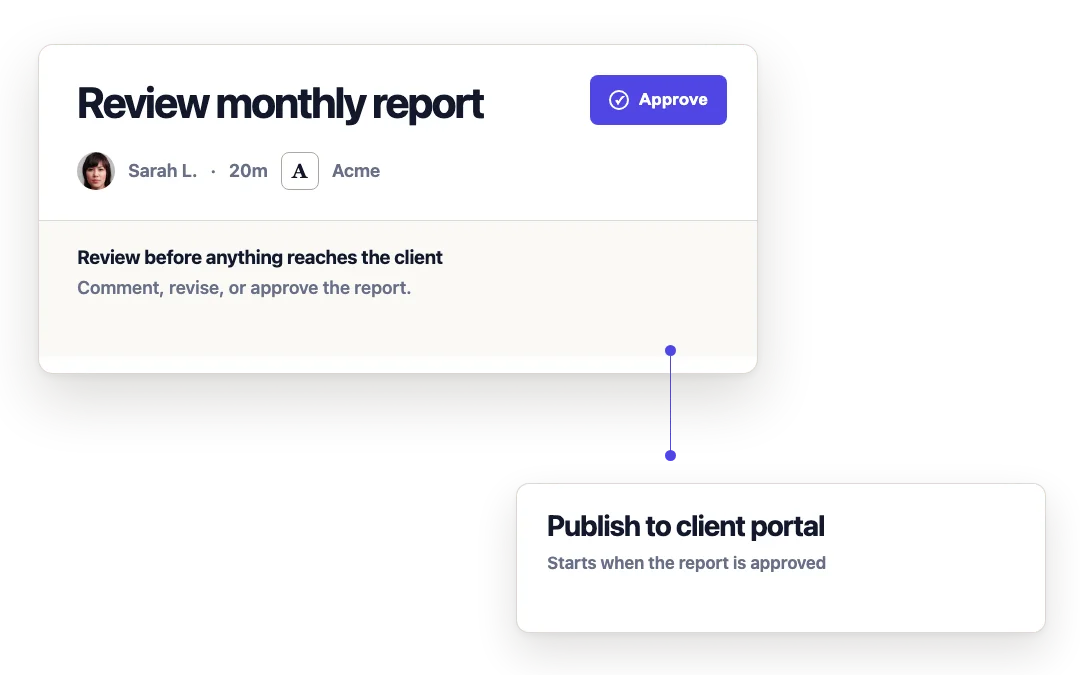
  • Put clients in the loop with a deliverable review screen on their portal
  • Add an internal review step so your team sees work before clients do
  • Connect integrations like Gmail, Google Analytics, or Search Console
  • Run on a schedule, on demand, or trigger from a Zap
  • Adopt incrementally, at any time

40+ tools. Every one is optional.

You control which tools each playbook can use. Toggle access per template.

Work management

  • Create, list, update, and duplicate tasks
  • Read task comments and time tracking data
  • Get task analytics (hours spent, completion rates)
  • Create and manage deliverables with approval workflows
  • Create milestones and client requests

Client context

  • Client profiles, brand config, and properties
  • Email and correspondence history
  • Internal team notes
  • Client portal feed (reports, videos, updates)
  • Outstanding client requests

Integrations

  • Google Analytics (GA4) reporting
  • Google Search Console data
  • Google Ads campaign metrics
  • Meta Ads and social insights
  • Google Business Profile reviews and data

Content creation

  • Generate images from text prompts
  • Search stock photo libraries
  • Build branded reports and social images as PDFs
  • Create and render content layout templates

Research

  • Browse and crawl websites
  • SEO audits (broken links, meta tags, alt text)
  • Page-level SEO and CRO analysis
  • Extract brand assets from any site

Communication

  • Draft and send emails
  • Post to client portal feeds
  • Add comments and @mentions on tasks
  • Make API calls to external services

What agencies are automating

0 min

Monthly client report. AI pulls GA4 and GSC data, builds a branded PDF, delivers to portal. No one touches it.

Report → tasks

AI reads your client's analytics, identifies what needs attention, and creates tasks for your team.

1 post → 5+ posts

One blog article becomes platform-specific social posts, threads, and email snippets.

1 week → same day

New client fully onboarded with site audit, competitive analysis, strategy brief, and setup docs.

Site → SEO tasks

AI crawls a client's site, finds issues, and creates prioritized fix-it tasks assigned to your team.

3 hrs → 10 min

Email campaign from strategy through copy and QA, drops into your internal review queue.

Data to Outcomes

From GA4 data

Branded PDF report delivered to client portal

From a client's website

SEO audit with fix-it tasks assigned to your team

From client emails

Follow-up tasks scheduled on your calendar

From Search Console

Content briefs targeting keyword gaps

From one blog post

Social content across every platform

From task time data

Internal team performance summary

From a new client's site

Full onboarding package with audit and strategy

From completed work

Client email summarizing the month

How a playbook runs

1

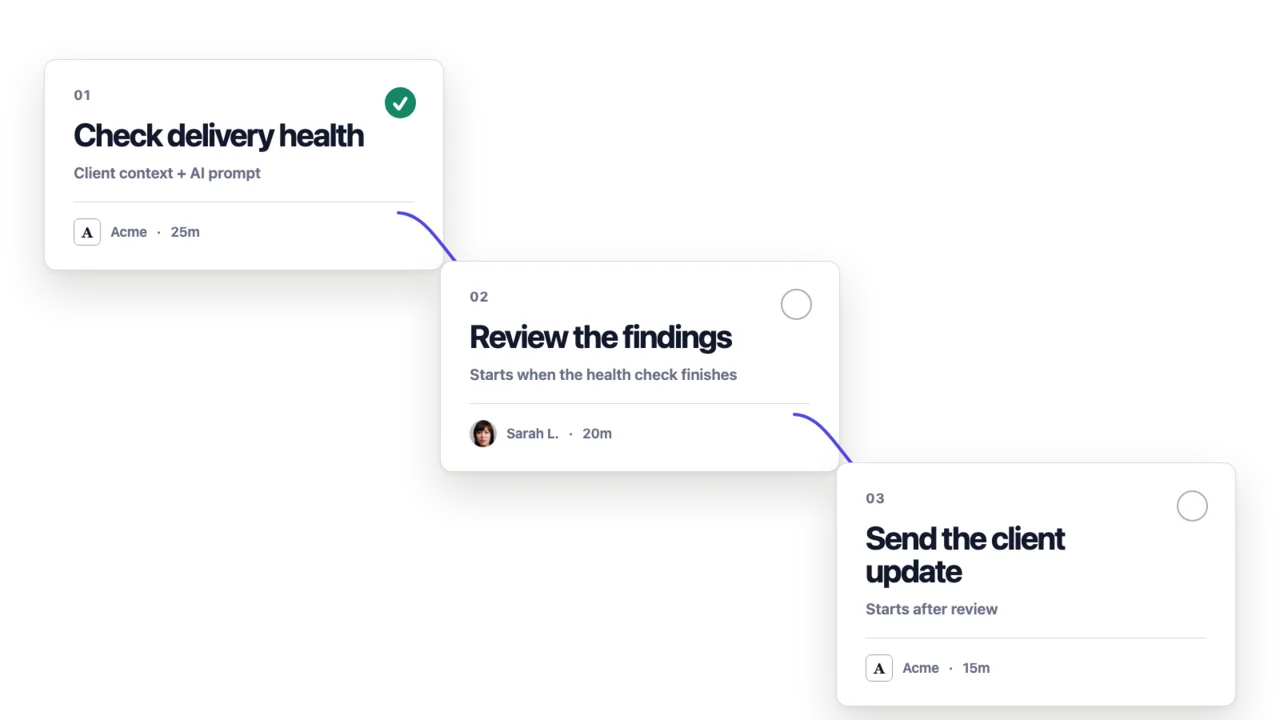
AI picks up client context. Emails, analytics, search data, brand info, past deliverables. You control how much access each template gets.

2

AI produces the work. Blog posts, reports, social content, audit documents. Full deliverables with revision history, not chat responses.

3

Your team reviews internally. Work shows up in your task queue. Edit, approve, or send back before the client ever sees it.

4

Client gets an approval link. They review, approve, or request changes. All tracked. No email threads.

Every step is optional. Run fully automatic, or put a human gate wherever you need one.

What makes this different

  • AI output is a real deliverable in your system, not a chat message you have to copy somewhere
  • Handoffs between AI, your team, and your clients are built into the workflow
  • Runs on a schedule with live client data. Not a one-time prompt you have to re-do
Guided setup All plans include AI

Make your future better

Adopt at your own pace
Guided setup
Cancel anytime
Easy start