The Conversation Belongs on the Work
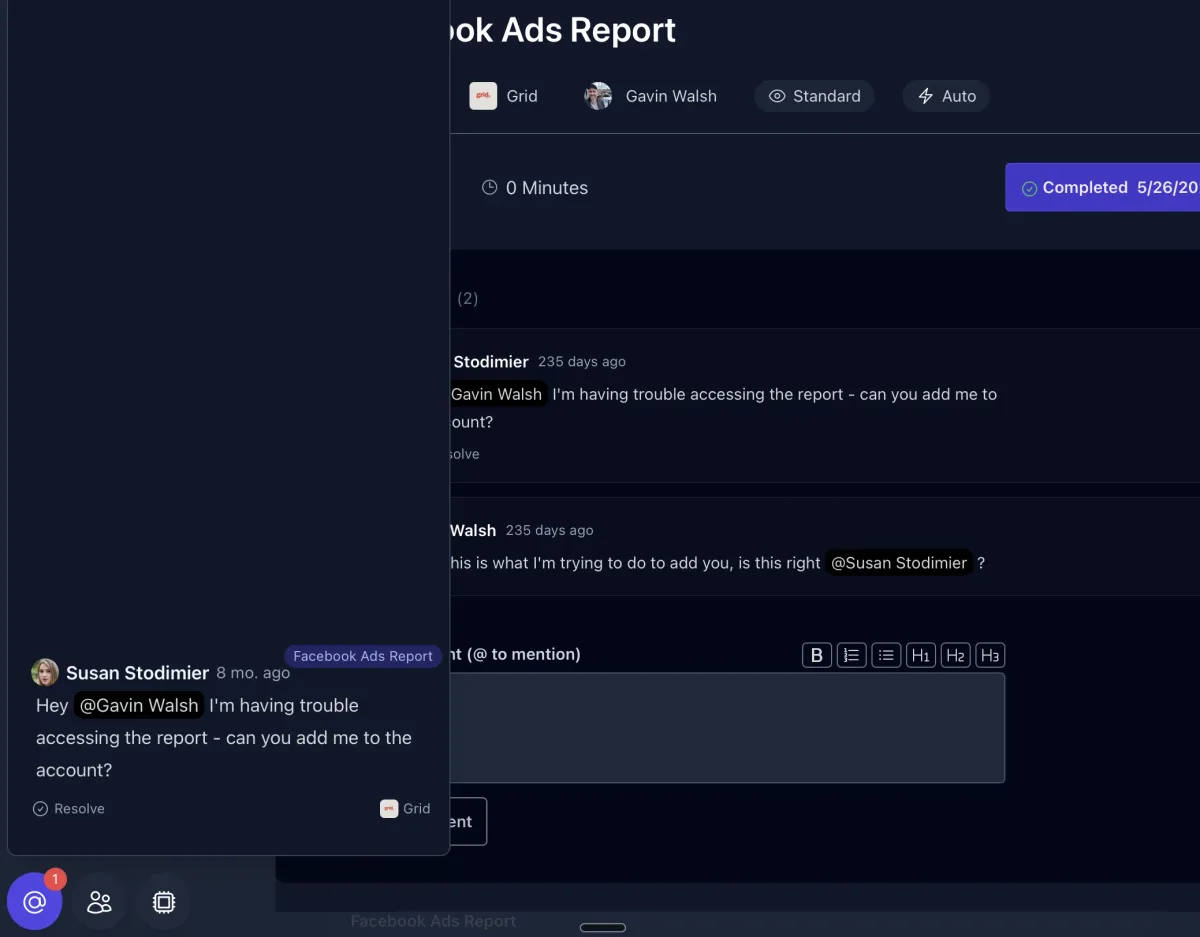
A question about a task does not belong in a Slack thread that scrolls away by tomorrow. It belongs on the task. Comments live on the work itself, so the context is there when the next person picks it up, this week or next month.
@Mention to Unblock
@mention a teammate and they get notified with a link straight to the exact task. “Client never sent the logo.” “Waiting on copy approval.” “Done, here’s the draft link.” No hunting for which task, which client, or what was being discussed. You jump from the mention to the work.
SOPs and Guidance Stay Put
Instructions, SOPs, and internal guidance live on the task too, so the person doing the work has what they need without asking. General team coordination has its own chat, kept separate from the work itself, so task threads stay about the task.
AI Reads It Too
Because the conversation lives on the work, Lifty can use it. It can roll the thread into a client update, summarize what happened, or create the follow-up task to clear a blocker. Set each comment’s visibility so clients see what you want them to and internal notes stay internal. See Task Management for how visibility works across tasks.