

Client Activity Screen
Lifty AI, emails, requests, correspondence, tasks, feed, notes, and milestones for each client in one place.
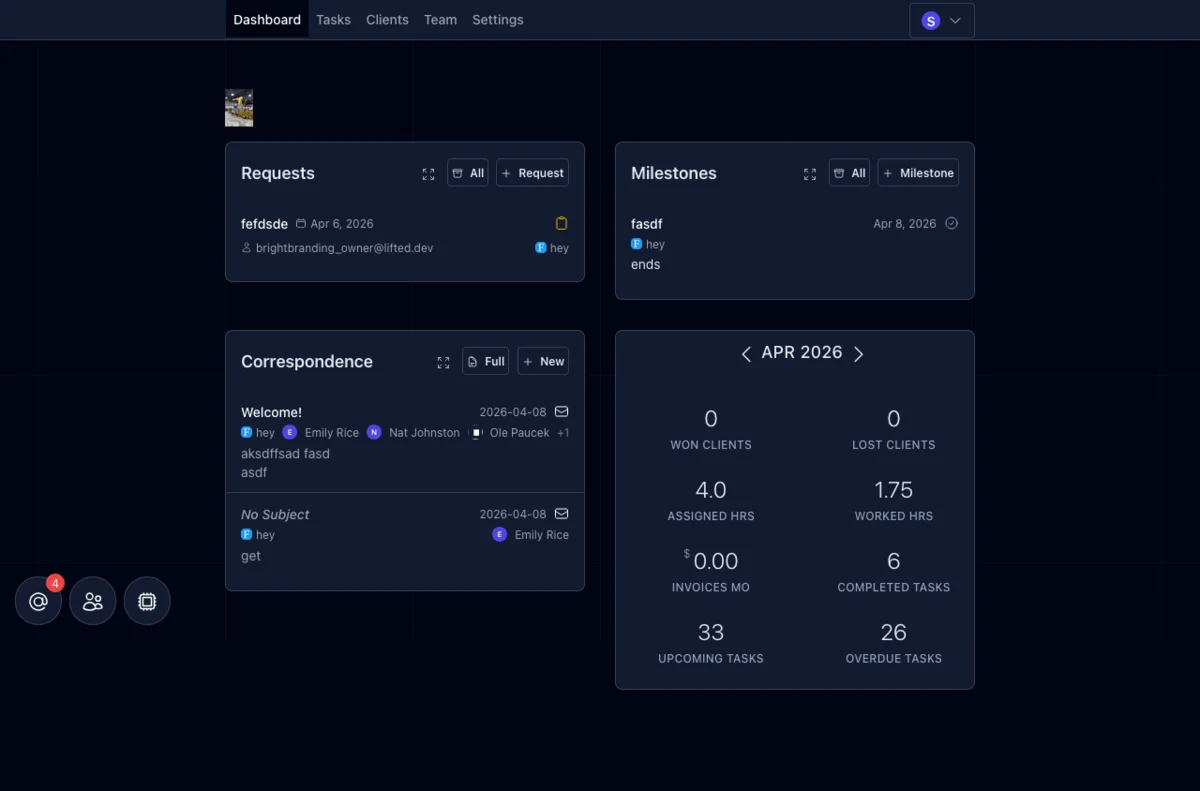
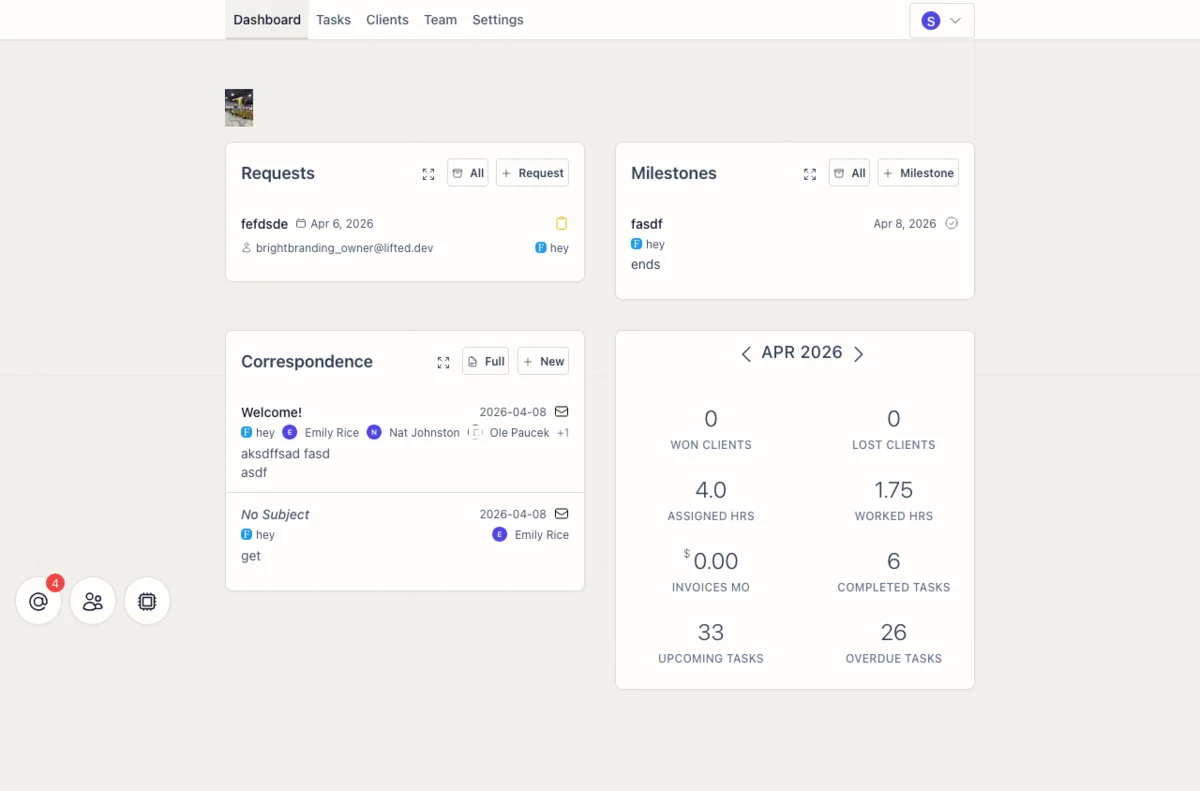
One Screen Per Client
The activity screen is where you track everything happening with a client: what’s been delivered, what’s been said, and what’s coming up.
Lifty AI: Open Lifty right from the activity screen and the client is already in context. Summarize all incoming emails, review what tasks were completed this week, or draft a status update. Whatever you need, with that client’s history, notes, and deliverables already in context.
Emails: Draft and send emails to client contacts without leaving the screen. Sent and draft tabs keep everything organized in one place.
Requests: Requests submitted by the client through their portal land here. Track status, convert them to tasks, or respond, all from one place.
Correspondence: Email threads with the client, synced automatically through Gmail or Zapier. Your team always has the full conversation history without switching to another tool.
Tasks: Recent and upcoming tasks for this client.
Feed: A chronological stream of completed tasks, notes, videos, images, PDFs, and embeds. This is the running record of work delivered to the client. AI can post directly to the feed, so deliverables show up here automatically as they’re completed. The monthly reporting playbook posts rendered reports to the feed as embeds.
Client Notes: Leave notes on a client that your whole agency team can see. Things like SEO keywords you’re targeting, campaigns to promote, or any relevant context. AI can also read these notes, so they inform task work automatically. The SEO Keyword Strategy playbook uses client notes this way — the AI builds a keyword strategy note that every future blog post reads from.
Milestones: Track upcoming and completed milestones with dates and descriptions.
Related Features
Services and Upsells in the Client Portal
Show clients the value they're getting, anchor your pricing, and surface upsell opportunities inside the portal they already use.
Client Management
A sortable client list with custom columns, inline editing, display groups, and quick actions for every account.
Client Overview
One screen with everything about a client: brand, links, contacts, services, portal config, report templates, and assets.
Client Requests - Intake, Track, and Convert to Tasks
Clients submit requests with file attachments through their portal. Your team tracks, converts, and responds from one panel.