Stop Assembling Reports by Hand
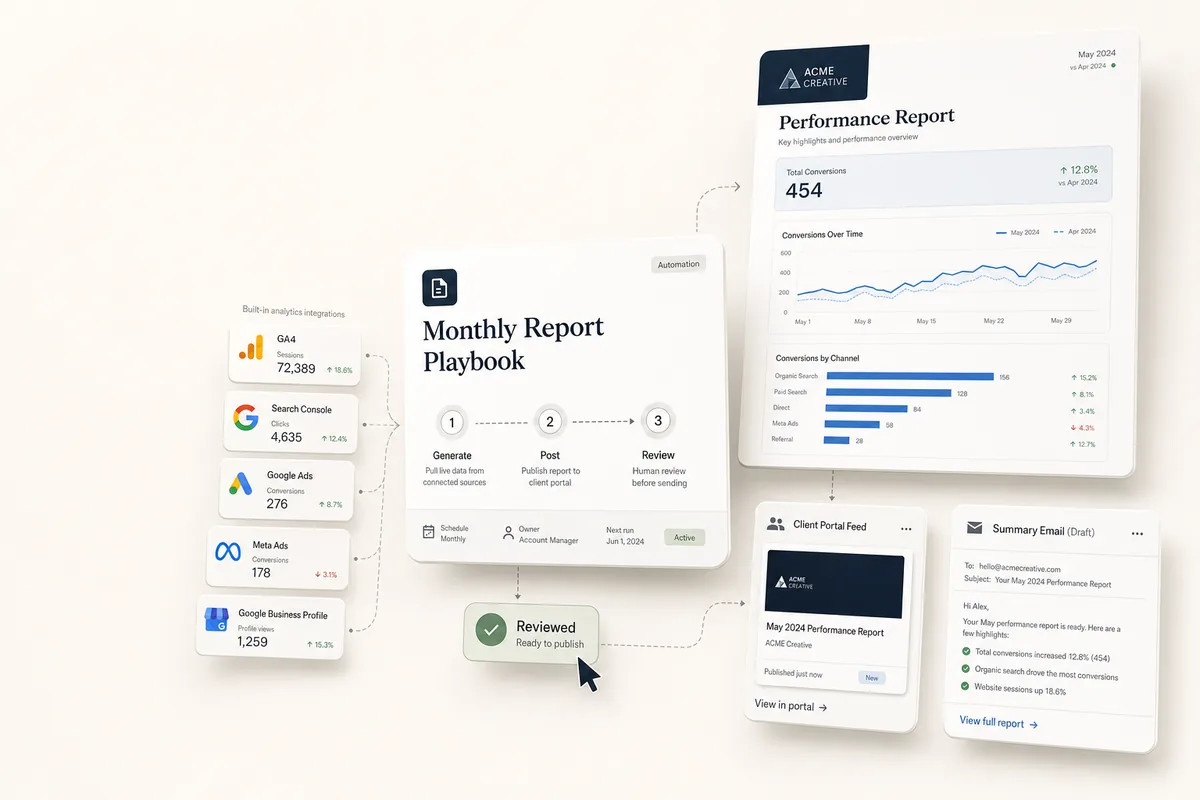
Reporting is the work most agencies dread every month: pull the data, format it, write the summary, send it. Lifted Work connects to your data sources and lets AI do the assembly, so your team reviews a finished report instead of building one from scratch.
Connect Your Data
Connect the platforms your clients care about in Settings > Integrations:
-
Google Analytics (GA4)
-
Google Search Console
-
Google Ads
-
Meta Ads and Meta Social
-
Google Business Profile
Once connected, that data is available to AI for reports and to Lifty when you ask questions.
Branded Report Templates
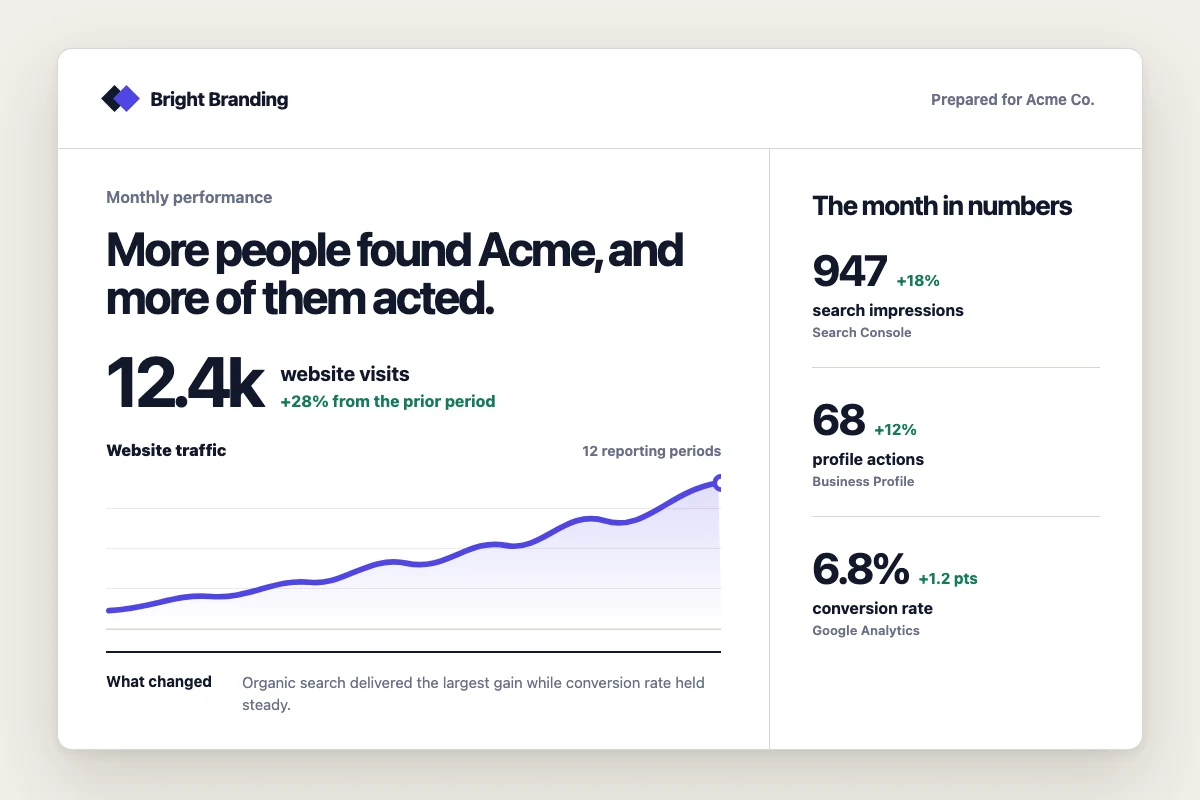
Build report templates once, using Liquid syntax, in the client’s Reports tab or through the report template how-to. AI renders them into PDF or HTML with the client’s own colors, fonts, and logos applied automatically. Start from the ready-made Monthly Performance Report Template.
From Data to Delivered
AI pulls the latest numbers, fills the template, and posts the rendered report to the client’s feed and portal. A report can also become a trigger: if traffic drops or ad performance shifts, the monthly reporting playbook creates the follow-up tasks instead of leaving the findings in an inbox.
Reports Beyond Marketing Data
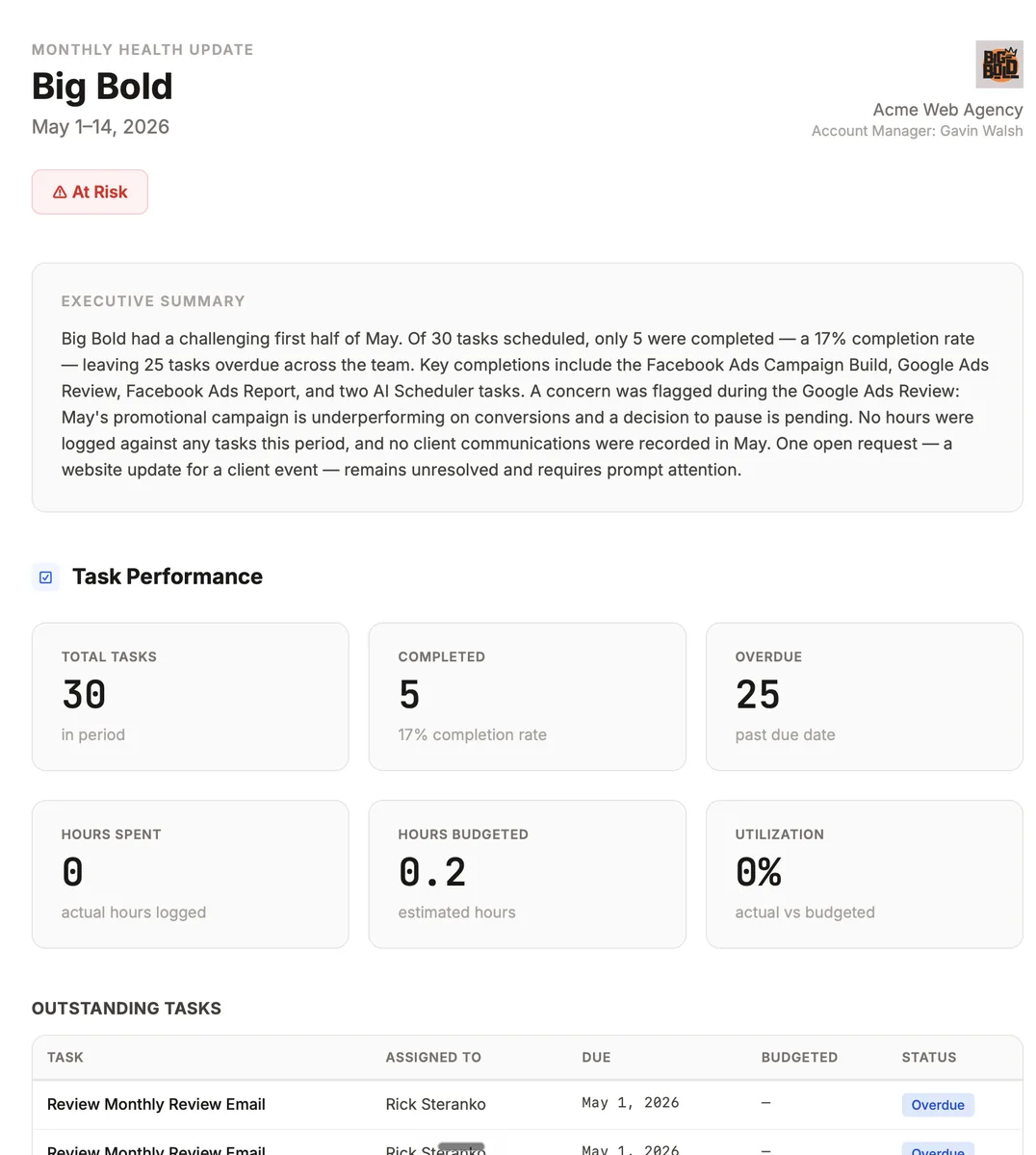
Reports are not limited to ad and analytics platforms. Pull from your own task data too: hours worked, tasks completed, notes your team left, and deliverables shipped. The account health report compiles an internal snapshot the same way.